




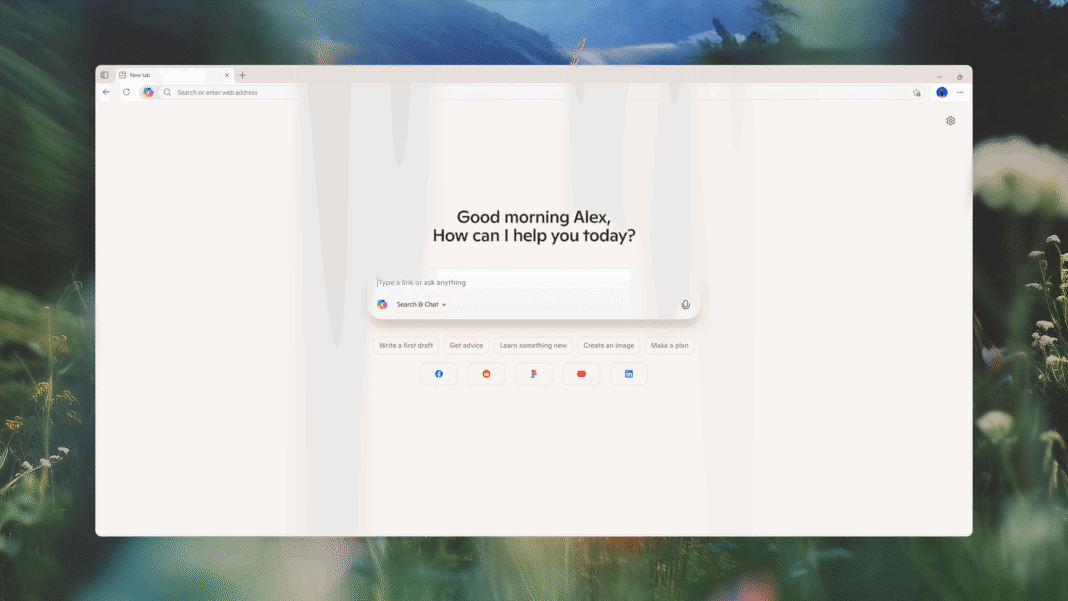
Microsoft jumped on the AI-powered internet browser bandwagon today with a new “experimental” tool for its Edge browser called Copilot Mode.
This gives Microsoft’s AI assistant full visibility over what you’re searching for, allowing it to take control, offer suggestions, and find shortcuts to your queries. This opt-in mode is available on both Windows and Mac for those in regions where Copilot is active.
If Copilot Mode is switched on, you’ll find that opening a new tab gives you a single box where you can navigate to websites, search for specific topics, or talk to Copilot for chatbot functionality. Everything is done from this single search box. Copilot will also take everything across your open tabs and try to figure out ways to help you.

(Credit: Microsoft)
An example given by Microsoft suggests how you may be searching via multiple tabs for locations, things to do, and accommodation for your next vacation. If you’re using one tab to identify activities near a beach, the browser will offer suggestions in a different tab.
“Copilot understands your intent and helps you get started faster. Copilot Mode also sees the full picture across your open tabs, and you can even instruct it to handle some tasks,” Microsoft says. “Turn your browser into a tool that helps you compare, decide, and get things done with ease.”
You can also talk directly to Copilot with voice navigation built into Edge. And Microsoft is working on tools for the future that would allow Copilot to gain access to your search history and credentials to make searching even more powerful.
“Imagine simply asking, ‘Find me a paddleboard rental near work,’ and Copilot not only finds the best option, but checks the weather, makes the booking, and even suggests sunscreen or tutorial videos to help you prepare,” Microsoft says.
Recommended by Our Editors
Copilot Mode launches today; you should get a pop-up notification soon asking whether you want it to be activated. You can also add it to your browser by heading to this link.
It’s unclear how long Copilot Mode will remain an experimental project, or when it’ll be ready for a full release. Microsoft has said it will be “free for a limited time,” which suggests these features may eventually be locked behind a subscription fee.


How to Clear Your Cache on Any Browser

Get Our Best Stories!
Your Daily Dose of Our Top Tech News

By clicking Sign Me Up, you confirm you are 16+ and agree to our Terms of Use and Privacy Policy.
Thanks for signing up!
Your subscription has been confirmed. Keep an eye on your inbox!
About James Peckham
Reporter